
Install the WordPress plugin
It takes about 60 seconds.
1. Download the plugin
Download absplitbot-wp-plugin.zip
2. Upload it to WordPress
- Log in to your WordPress admin.
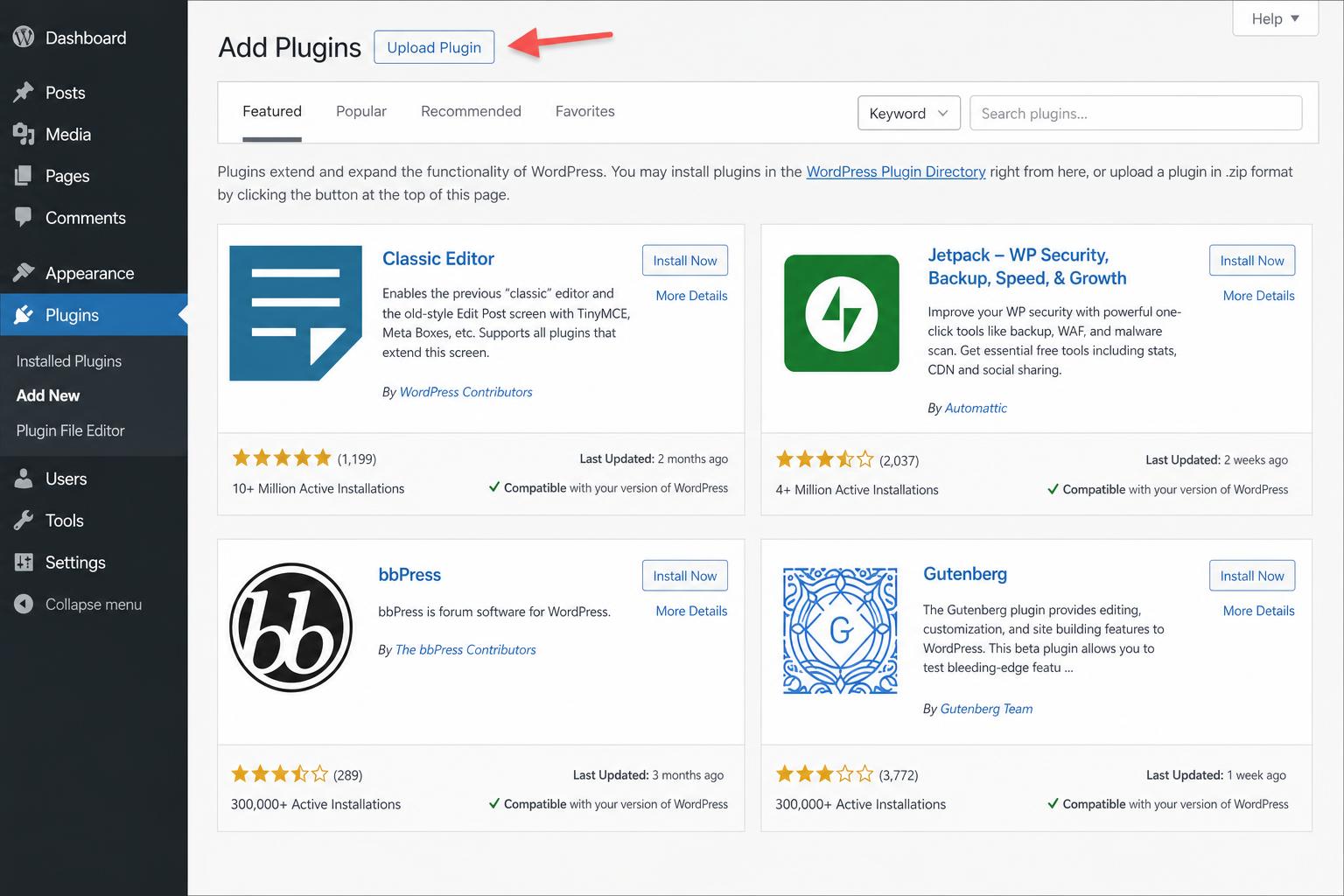
- Go to Plugins → Add New, then click Upload Plugin at the top.
- Choose the
absplitbot-wp-plugin.zipfile, then click Install Now.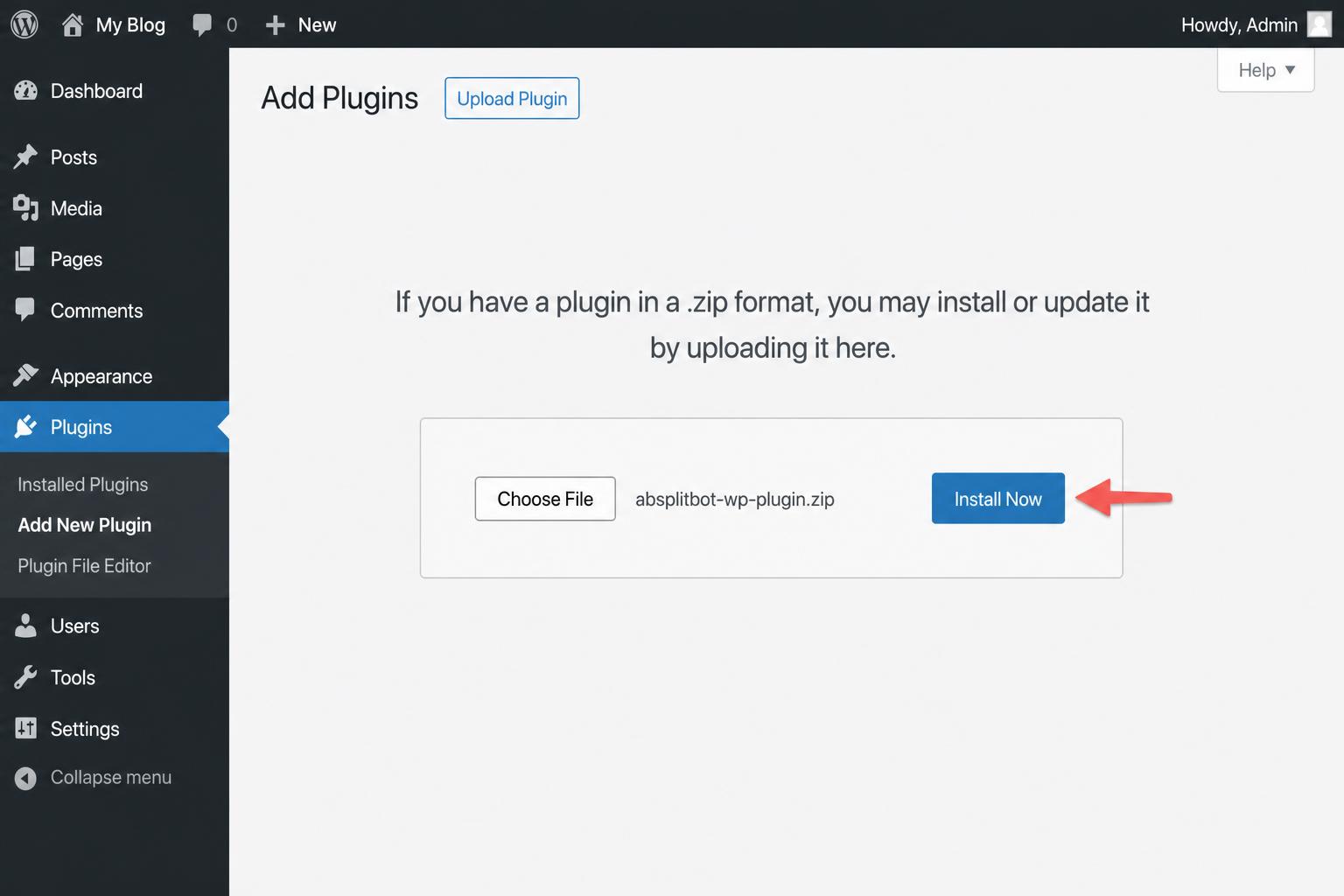
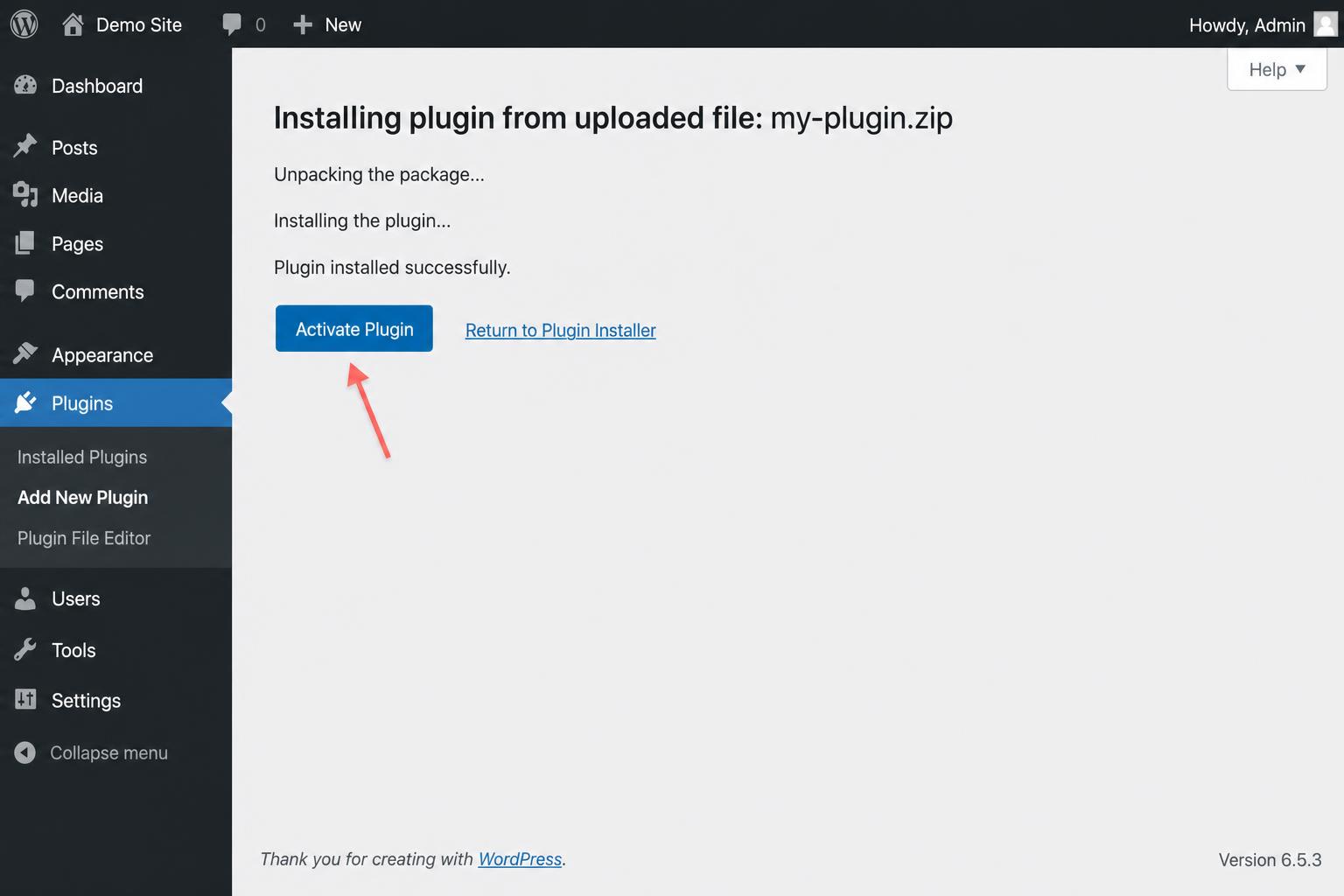
- When it's done, click Activate Plugin.
3. Open the settings
After activating, go to Settings → AB Split bot in the WordPress sidebar. You're ready to activate your license.
Manual install (FTP)
If you can't upload via the WordPress admin:
- Unzip
absplitbot-wp-plugin.zipon your computer. - Upload the unzipped
absplitbotfolder to/wp-content/plugins/on your server via FTP/SFTP. - Go to Plugins in WordPress and click Activate next to AB Split bot.