Activate your license
Once the plugin is installed and activated, you need to enter your unlock code to turn on Pro features.
1. Find your unlock code
It was emailed to you with the subject "Your AB Split bot Pro unlock code & plugin download". The code looks like ABSB-XXXX-XXXX.
Can't find it? Check your spam folder, or contact us to have it resent.
2. Paste it into WordPress
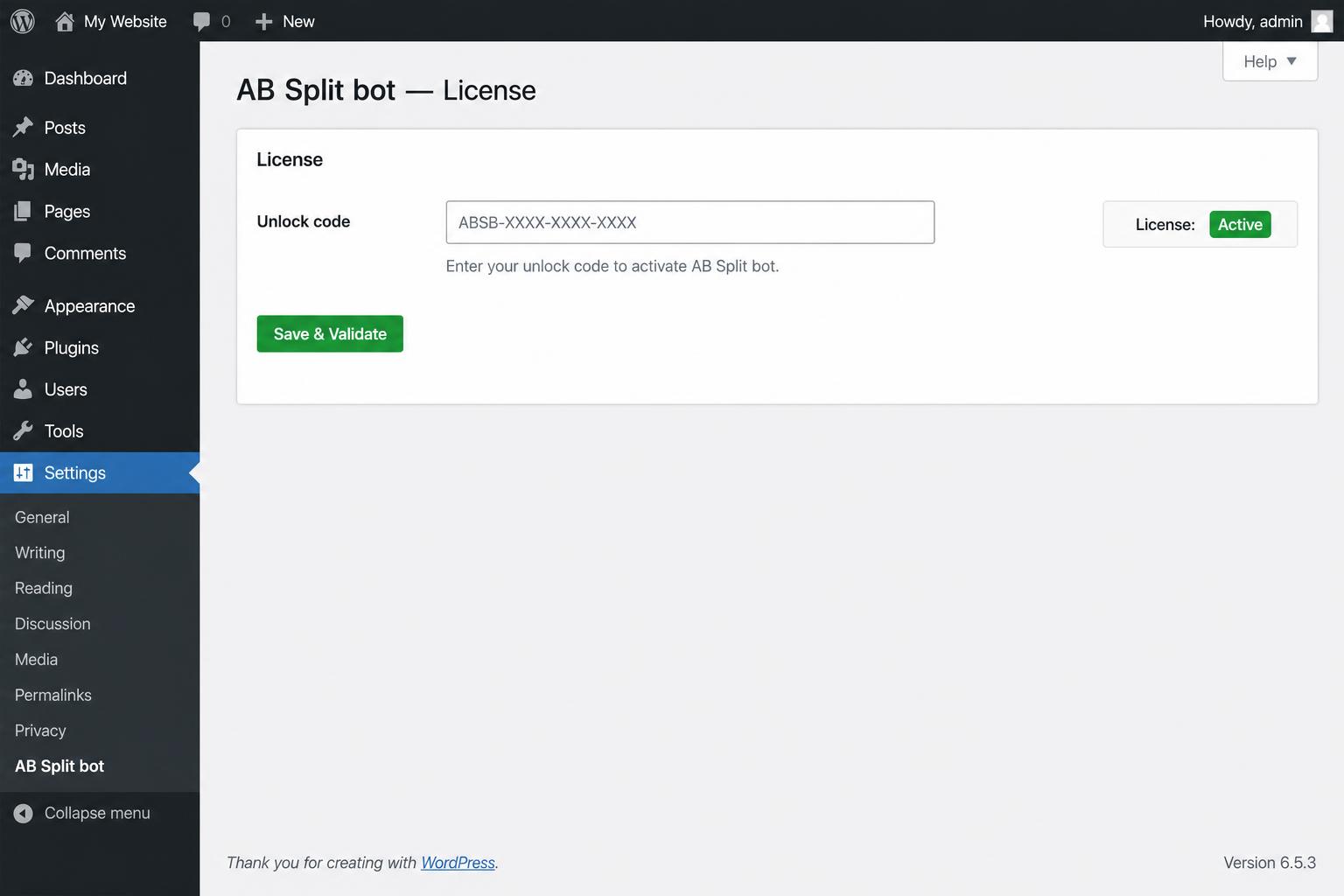
- In WordPress, go to Settings → AB Split bot.
- Paste your code into the Unlock code field.
- Click Save & validate.
3. Confirm it's active
You should see a green banner that reads License status: Active, along with the date your license expires.
How licensing works
- The plugin checks your code with our server every 24 hours.
- The first site that activates a code becomes bound to it — the same code can't be used on a second domain.
- If our server is briefly unreachable, your last validated state is preserved (we won't lock you out on a network blip).
Need to move your license to a new site? Email support and we'll release the binding.